
হোটেলের বিলে সার্ভিস চার্জ ও ভ্যাট হিসাব করা, মূসক ৬.৩ ইনভয়েস দেওয়া এবং মাস শেষে ভ্যাটের হিসাব মেলানো, এই তিনটি কাজ হাতে করলে ভুল হয়। Here is how good hotel management software handles it.
Set the rules once
In the Billing Policy you enter the service charge % (for example 10%), the VAT % (for example 15%), whether VAT is charged on the service charge, and your company BIN. Until you set them nothing changes, so existing bills stay the same.
At check-out
The check-out screen shows the room rent, the extras, then the Service Charge line and the VAT line, updating live as the cashier accepts or waives an early check-in or late check-out charge. Restaurant bills keep their own tax because they are invoiced separately.
Mushak 6.3 style tax invoice
From the receipt, open the Tax Invoice. It lists seller and buyer details, the BIN, the value excluding taxes, VAT rate and VAT amount for every line, and the total including taxes, in the layout accountants expect.
Rates that already include tax
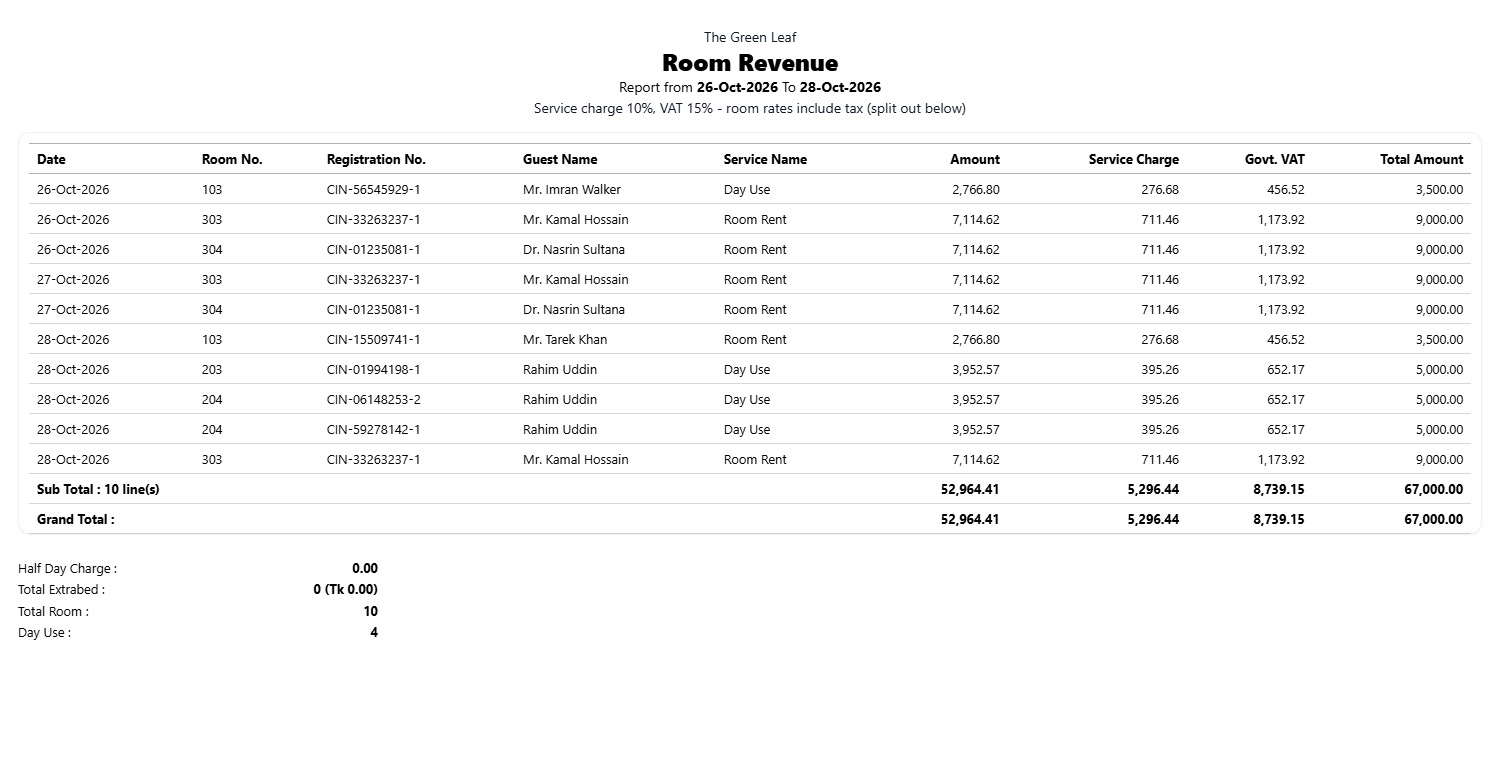
Many hotels quote a tax-inclusive rate, for example Tk 2,800 per night. Switch on rates include service charge and VAT and the total never changes. The invoice and reports split the amount into Tk 2,213.44 + service charge Tk 221.34 + VAT Tk 365.22.
The Room Revenue report
The Room Revenue report lists one line per room per night with Registration No., Guest, Service Name (Room Rent, Day Use, Half Day, Extra Bed), Amount, Service Charge, Govt. VAT and Total, followed by sub total, grand total, half-day charge, extra beds, total rooms and day-use count. Print it or download CSV for your accountant.


Discussion (0)
Leave a Reply
No comments yet. Start the conversation!