
ফ্রন্ট ডেস্কে সবচেয়ে বেশি সময় যায় রুম খুঁজতে আর ক্লিকে ক্লিকে ঘুরতে। A good room board answers the common questions before you click.
Every card tells a story
Each room card shows the room photo and status, and then who is in the room, when they leave, the balance due or Paid up, an overstay warning, the next booking with its advance, and a 7-day strip of busy and free days.
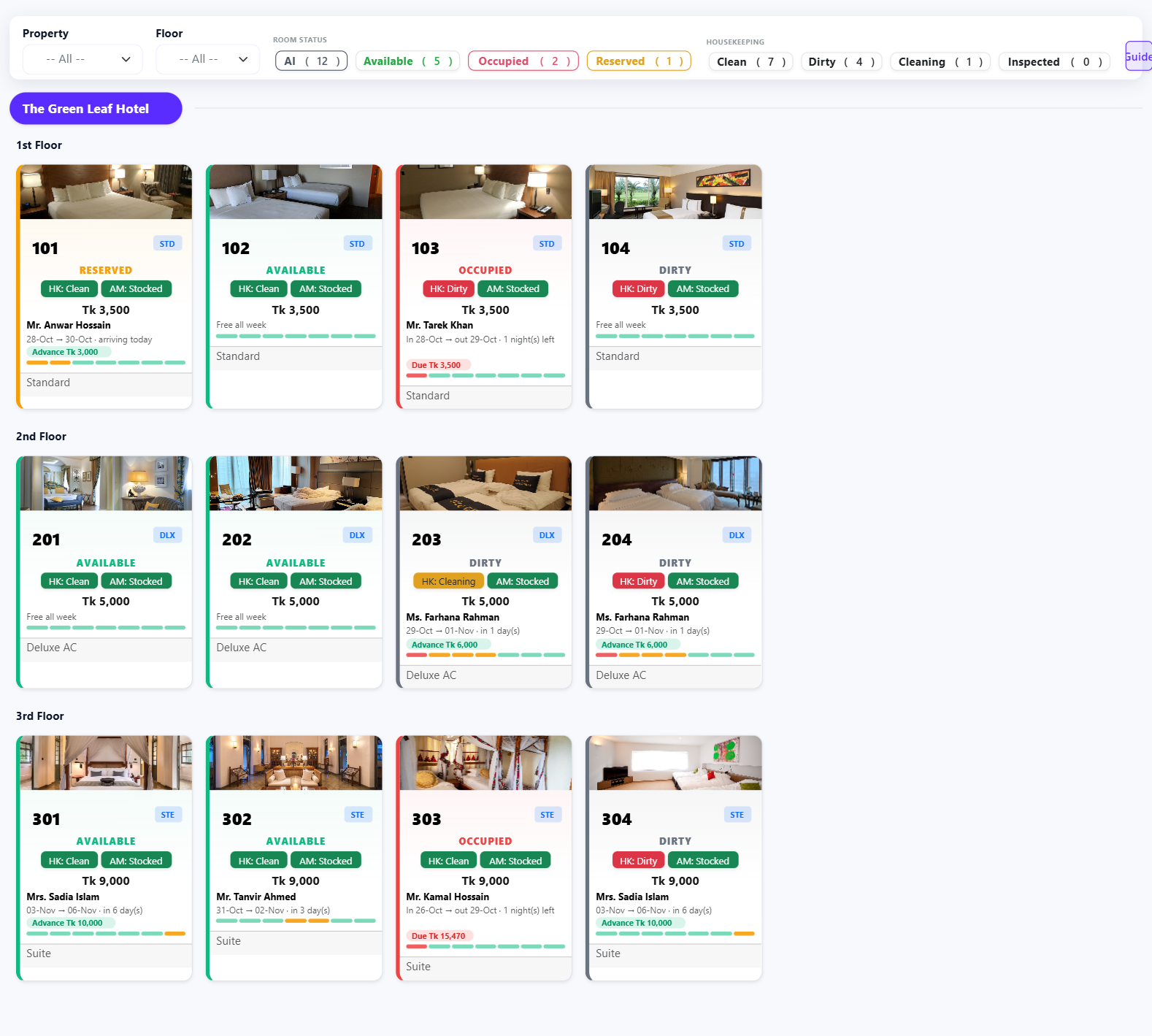
Right-click for the next action
- Occupied room: check out, open the folio, add a charge or discount, change the room, set group billing.
- Free room: walk-in check-in or a new reservation, with the room already selected.
- Housekeeping: mark Clean, Dirty, Cleaning or Inspected in one click.
- Block the room when it is out of order.
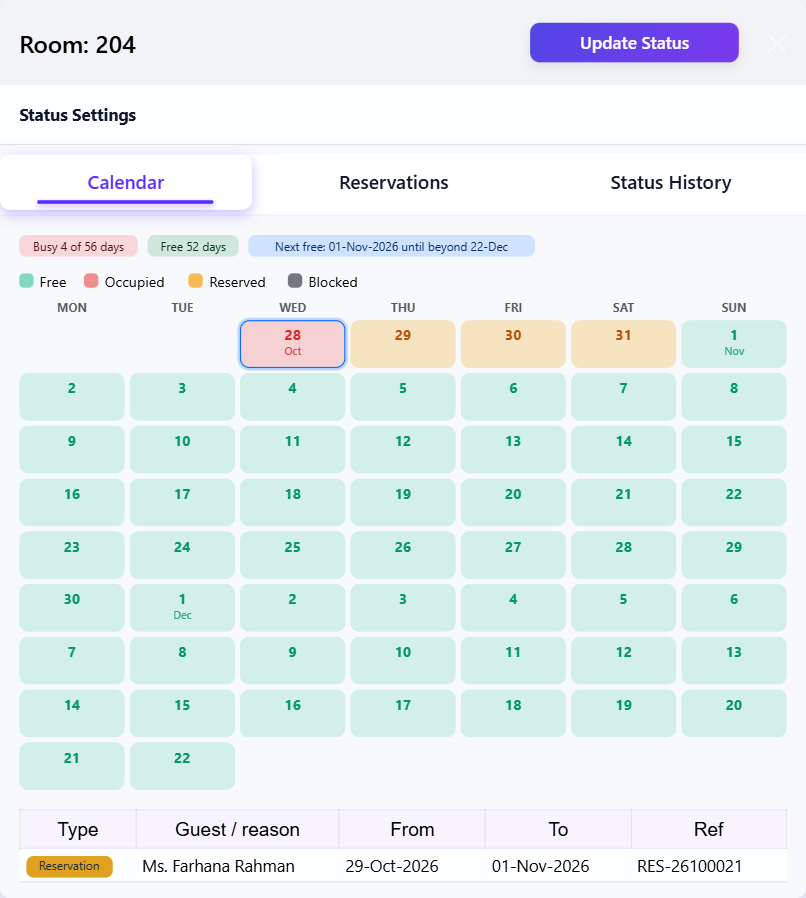
Room calendar
Open any room to see how many days it is busy, when it is next free and for how long, with every stay, booking and block listed behind it. Perfect for answering the phone: can I give this room from Friday?
Explore the full hotel management software.


Discussion (0)
Leave a Reply
No comments yet. Start the conversation!